


Word Connect Master
4.6281.00 Reviews
App Specs
- Version
- 1.2.2
- Updated On
- License
- Free
- Downloads
- 100,000+
- Developer
- SATORISYS PLAY
- Categories
- Word
- Platform
- Android
Screenshots
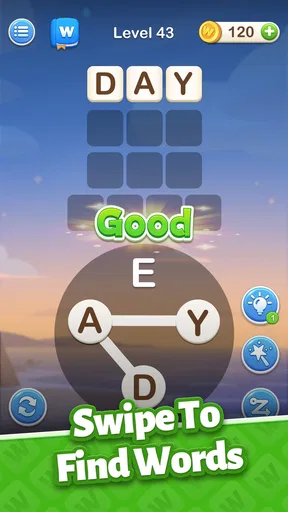
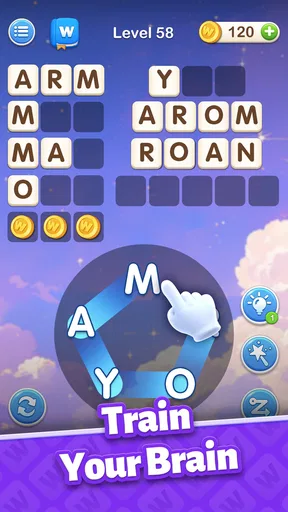
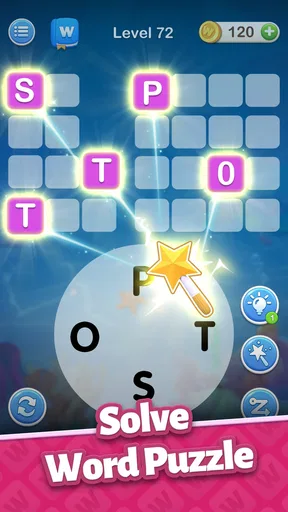
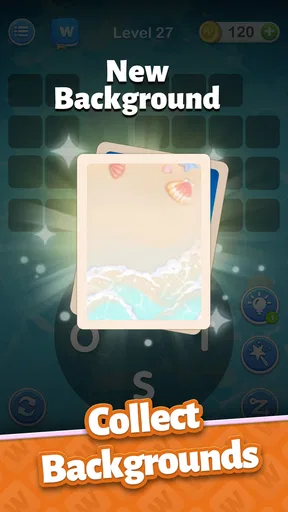
 Analysis by AppCompare
I’d reach for a word puzzle when I have a few spare minutes but don’t want to start a game that demands a long session. Word Connect Master suits that mood: its central activity is making words from letters, and the appeal comes from moving between quick wins and moments that need a little thought. It is a free word game from SATORISYS PLAY, marked Everyone, with a 4.7 average from around 2,400 ratings and over 100,000 installs. Those figures suggest a healthy audience, though they don’t tell me whether every puzzle style will suit every player.
What a short session feels like
The basic interaction is easy to understand: swipe across letters to form words. That makes the opening approachable even if you don’t usually play word games, while later puzzles can slow you down as you search for combinations. I like that contrast more than a constant stream of trivial answers. A level can be a quick pause between errands, but it can also turn into a small vocabulary challenge when a word refuses to come to mind.
For an everyday example, I’d use it while waiting for a bus or during a short break, stopping when I reach my destination rather than treating it like a game that needs a dedicated evening. If you’re picking it up in a noisy place, the visual feedback matters more than the sound; if you’re winding down at home, the gentle audio can make the experience feel less stark. I’d keep expectations modest: this is a casual puzzle routine, not a language course or a substitute for reading widely.
Difficulty, hints, and a better way to get unstuck
When a puzzle stalls, I find it more satisfying to pause and look for a different letter order before spending a hint. Try grouping possible beginnings or endings, then check whether a short word can unlock a new way of seeing the remaining letters. That little reset is useful because repeated swiping without a plan can make the board feel more frustrating than it is. The game’s hint option gives you a fallback, and the daily challenges offer a reason to return and earn extra coins for those moments.
I wouldn’t spend hints just to make every level move faster. Saving them for a genuine block preserves the pleasure of solving the puzzle yourself, especially as the stages become less obvious. Daily challenges are best treated as a small side activity rather than an obligation: they can add variety to a spare moment, but skipping a day shouldn’t make the main game feel like work. If you prefer word searches with a visible grid or crossword clues that tell you what kind of answer to find, this free-form letter connection may feel less guided.
Getting Started with Word Connect Master
When I first downloaded Word Connect Master, I was immediately drawn to its simple yet elegant interface. I mean, who doesn’t love a game that’s intuitive and easy to navigate? Right off the bat, you’re greeted with a welcoming screen that invites you to dive into the world of word puzzles. And trust me, once you start, it’s hard to stop.
The game begins with some basic levels designed to ease you in. You’ll swipe your finger across the letters to form words. Sounds simple, right? But don’t be fooled. As you progress, the puzzles get trickier and really start to test your vocabulary skills. It’s like a gym workout for your brain!
Worth Reading Before You Choose

EA SPORTS FC Mobile 26 Is a Bigger Football Game, but It Takes Time

Flipboard Shows What News Apps Must Do Beyond the Feed

Switching to Android Auto Means Rethinking Your Driving Routine

Google Calendar Makes a Crowded Week Easier to Manage

Ludo King Makes the Most of the Minutes Between Plans

Baby Panda World Brings Quick Play to Modern Phones, but Its Game Library Feels Busy
The Gameplay Experience
One of the things I love about Word Connect Master is how it cleverly balances challenge and fun. The early levels are a breeze, but as you move up, you’ll find yourself pausing to think. Some levels had me scratching my head for a good while before that "aha" moment hit.
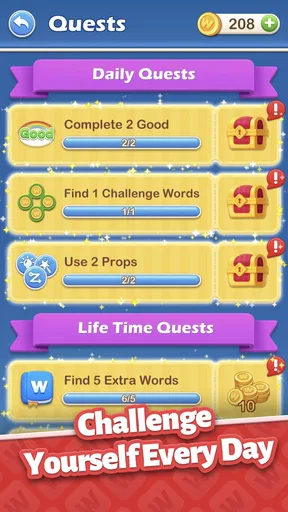
The game also includes daily challenges that are perfect for those quick brain workouts. They’re a great way to earn extra coins, which you can use for hints when you’re stuck. And trust me, you’ll want to save those hints for when you really need them!
Visuals and Audio
Visually, the game is a treat. The colors are vibrant, and the animations are smooth. It’s pleasing to the eye, which is always a plus when you’re spending a lot of time with an app. The sound effects are subtle yet effective—just the right amount of feedback to make the gameplay more engaging without being distracting.
Choosing the right device and session
The game is listed with a minimum operating-system requirement of 7.1, and its current version is 1.2.1. I’d check that your device meets the requirement before downloading, particularly if you use an older phone. On a compatible device, the described play loop is lightweight in concept: looking at letters, swiping, and checking words. I wouldn’t infer a specific battery or memory impact from that alone, so if you’re concerned about resources, try a short session first and see how your own device handles it.
For speed, the useful expectation is that a word puzzle’s pace depends as much on your thinking as on the screen. The simple controls leave little to learn before starting, while a difficult arrangement can make progress feel slow even when the game is responding normally. If a swipe doesn’t seem to register, I’d first make a deliberate pass across the letters rather than repeatedly dragging in a hurry; careful input is easier to judge than a rapid series of gestures.
Reliability and when another word game fits better
I like that the game can be approached in short bursts, but I wouldn’t assume that every session will feel equally smooth on every device or connection. The practical way to judge reliability is to try a level, close the game when you’re done, and return later to see whether your progress behaves as you expect. If you’re playing during a commute, avoid relying on a puzzle as your only entertainment until you know how it behaves in your usual conditions. That is a sensible check for any mobile game, not a claim that this one has a particular fault.
Compared with crosswords, this style gives less clue-based direction and more room to experiment with letter combinations. Compared with word searches, it asks you to build words rather than spot them in a fixed grid. That makes it a good fit if you enjoy testing possible spellings and want a gentler challenge, but a weaker choice if you want a story, a rich competitive ladder, or lessons that explain vocabulary in depth. Although the earlier description mentions multiplayer with friends, I’d choose a dedicated word-battle game if head-to-head competition is the main reason you’re installing something.
Who will get the most from it
I’d recommend it to someone who enjoys an easy-to-learn word puzzle, likes solving at their own pace, and wants a casual activity with daily challenges and optional hints. It can also work as a shared prompt: take turns suggesting words while one person handles the swipes, then compare how quickly you spot a solution. That makes a short wait more social without turning the game into a serious contest.
I’d skip it if you dislike trial-and-error word formation, get annoyed when a puzzle offers little guidance, or need a game with a clear narrative and substantial progression systems. Its Everyone content rating makes it suitable for a broad audience, but that doesn’t mean every child will find the puzzles easy; vocabulary familiarity still matters. The game is free, so trying it is a low-commitment way to see whether its particular rhythm clicks for you.
Why You’ll Love It
What really sets Word Connect Master apart is its ability to make learning fun. I found myself expanding my vocabulary without even realizing it. It’s like sneaking vegetables into a dish—healthy and tasty at the same time! Plus, the game is designed to be played at your own pace, so there’s no pressure to keep going if you need a break.
Another great feature is the multiplayer mode. You can connect with friends and challenge them to see who’s the real word master. It adds a competitive edge that’s both fun and motivating.
Final Thoughts
So, here’s the bottom line: Word Connect Master is a fantastic game for anyone who loves words and puzzles. Whether you’re a seasoned scrabbler or just looking for something new to try, this game will keep you entertained for hours.
And remember, it’s not just about passing the time—it’s about engaging your mind and learning something new. So why not give it a shot? You might just find yourself a little obsessed, like I did. Happy connecting!
Pros
- Engaging word puzzles boost vocabulary.
- Simple and intuitive user interface.
- Daily challenges keep gameplay fresh.
- Offline mode available for uninterrupted play.
- Lightweight app
- doesn't strain device memory.
Cons
- Ads can be intrusive during gameplay.
- Limited hints without in-app purchases.
- Repetitive levels may bore advanced users.
- No multiplayer or social features.
- Requires frequent updates for new content.
FAQs for Word Connect Master
What is Word Connect Master and how does it work?
Word Connect Master is a word puzzle game that challenges players to form words from a set of given letters. The aim is to connect the letters to create valid words, filling in the crossword-style grid. It's designed to enhance vocabulary and cognitive skills while providing entertainment.
Is Word Connect Master free to play?
Yes, Word Connect Master is free to download and play. However, it offers in-app purchases for additional features, such as hints or removing ads. These optional purchases can enhance your gaming experience but are not necessary to enjoy the core features of the game.
What platforms is Word Connect Master available on?
Word Connect Master is available for both Android and iOS devices. You can download it from the Google Play Store for Android or the Apple App Store for iOS. The game is designed to run smoothly on both platforms, offering a seamless experience regardless of your device.
Does Word Connect Master require an internet connection?
No, Word Connect Master can be played offline, making it a great option for those who want to enjoy the game without relying on a constant internet connection. However, certain features like leaderboards or in-app purchases may require connectivity.
Are there any ads in Word Connect Master?
Yes, Word Connect Master includes ads, which support the free version of the game. Ads may appear between levels or as banners. Players have the option to remove ads through an in-app purchase, allowing for an uninterrupted gaming experience.


